The lot book, the burials and the plat map, in one place.
Flagstone is a cemetery register built for Michigan townships. Your clerk gets one place for every lot, owner and burial. Families find a grave from their phone. We draw the map and import your records, so you start with a working register, not an empty one.
- Built and supported in St. Clair County
- Unlimited logins
- Your records, exportable any day
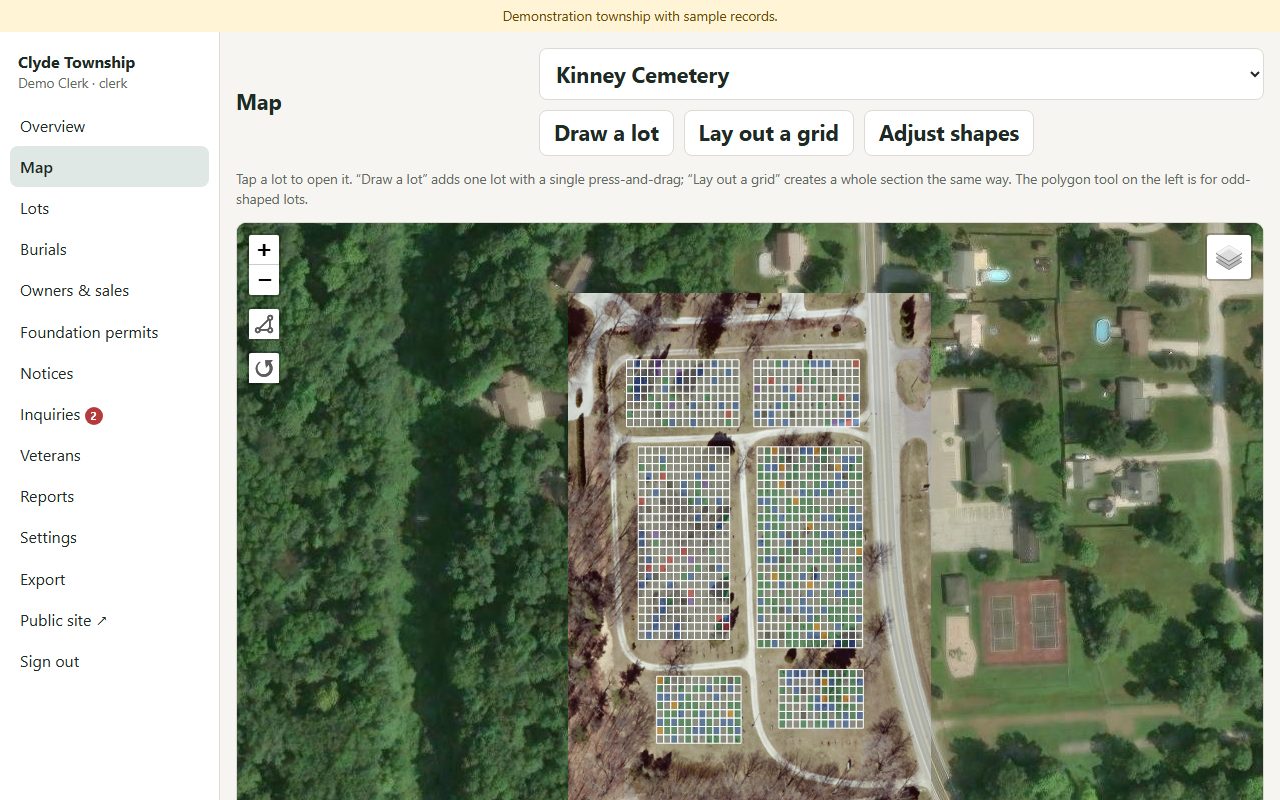
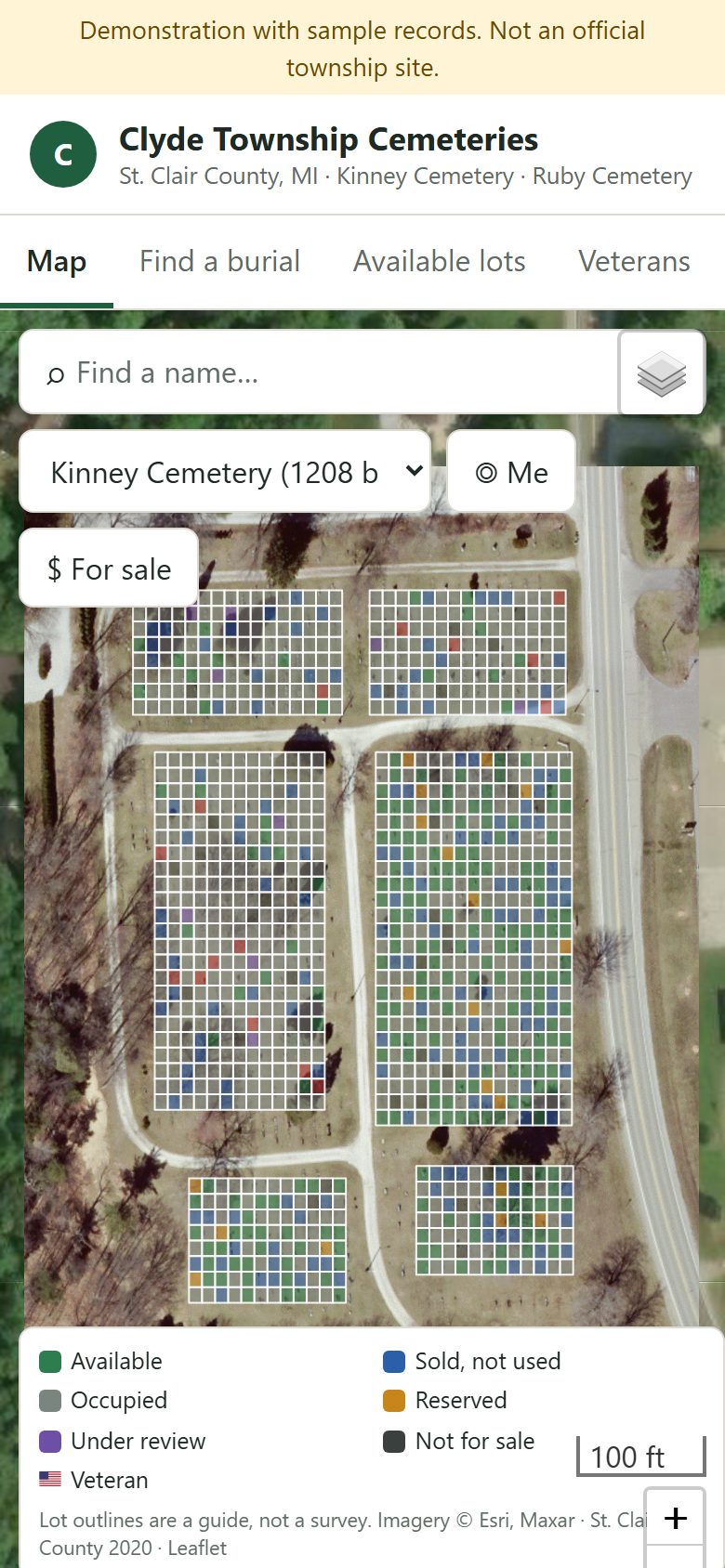
Built for a township office, not a funeral home chain.
A part-time clerk, a sexton and a board that meets once a month. Flagstone is sized for that.
Done-for-you onboarding
We import the lot book, clean up names and dates, and draw every lot over the township's own aerial. You review it; we fix what the stones disagree with.
Unlimited logins, no meter
Clerk, deputy, sexton and every board member sign in. Board members get a read-only view. There is no per-user or per-lot charge.
Your data, always exportable
The township owns its records. Export everything as CSV, GeoJSON and JSON at any time from the Export page, not by asking us.
One sheet per lot, with everything the office needs on it.
Open a lot and you see its status, price, owner and deed number, the burials in each grave, permits, notices and the full history of changes. Record a sale or add a burial from the same sheet.
- Owners and sales with deed and receipt numbers, and a printable deed.
- Burial records with veteran fields, flag-holder tracking and photos from your phone.
- Foundation permits and notices tied to the lot they belong to.
- Questions from the public site land on your overview, not in a shared inbox.
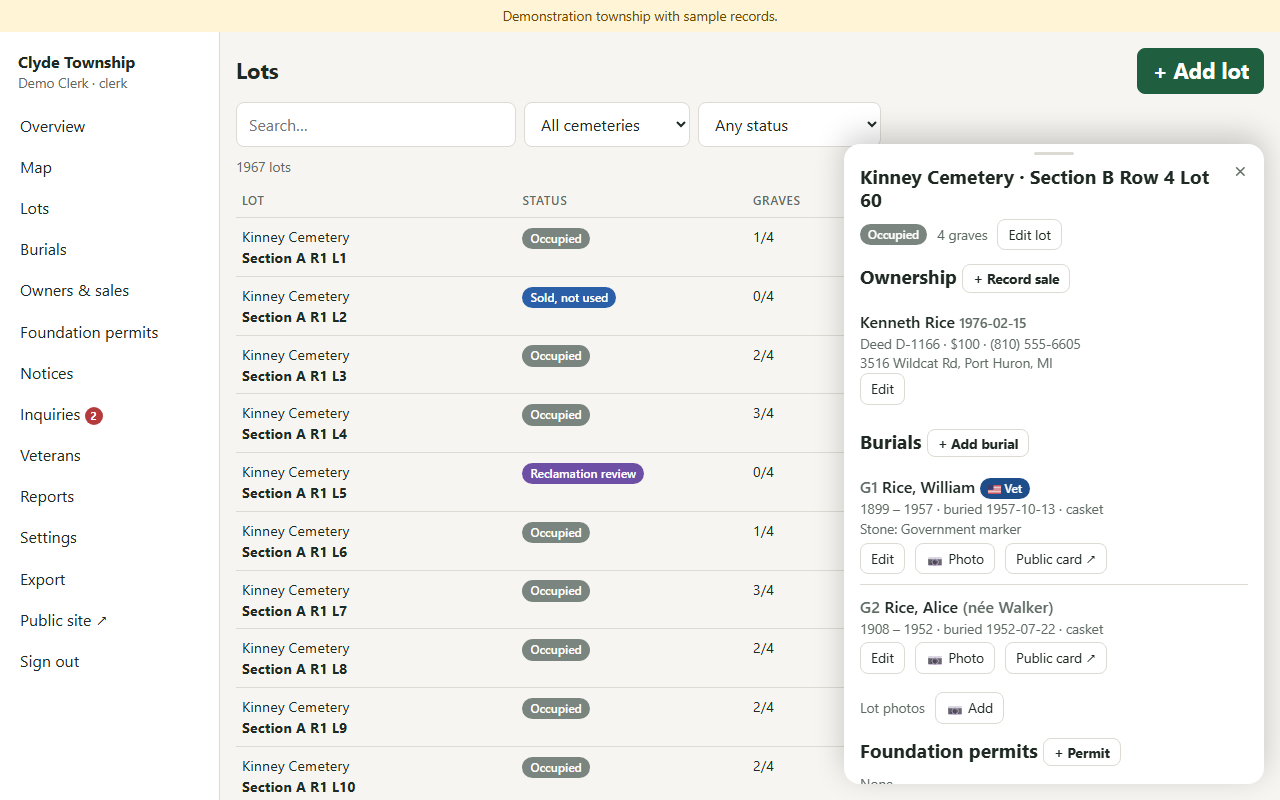
Nothing is ever deleted. Every change is on the record.
Every edit is logged with who made it, when, and the previous value. Board members sign in to a read-only view, so they can see the whole register without being able to change it.
- Before-and-after values on every edit, including imports.
- Recording a sale marks the lot sold, and that change is logged too.
- Corrections reported by the public are checked against the paper register before anything changes.
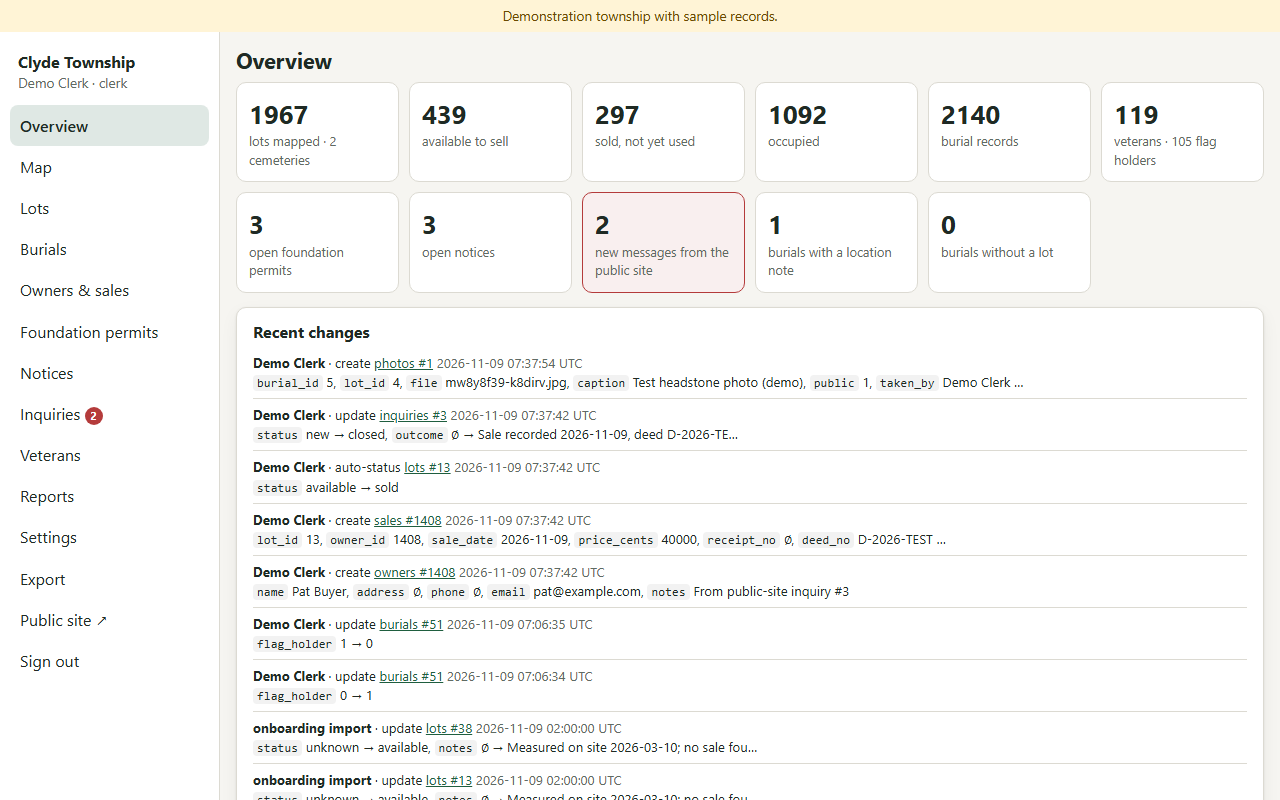
A map you can fix yourself, drawn over your own aerial.
The map sits on the county's published aerial where there is one, or satellite imagery otherwise. We draw the sections from your plat during onboarding. After that, the sexton adds or adjusts lots without a support ticket.
- Draw a lot with one press-and-drag, or lay out a grid for a whole section.
- Lay a scan of the paper plat over the aerial and draw from it.
- Adjust shapes when the ground disagrees with the plat, with every redraw logged.
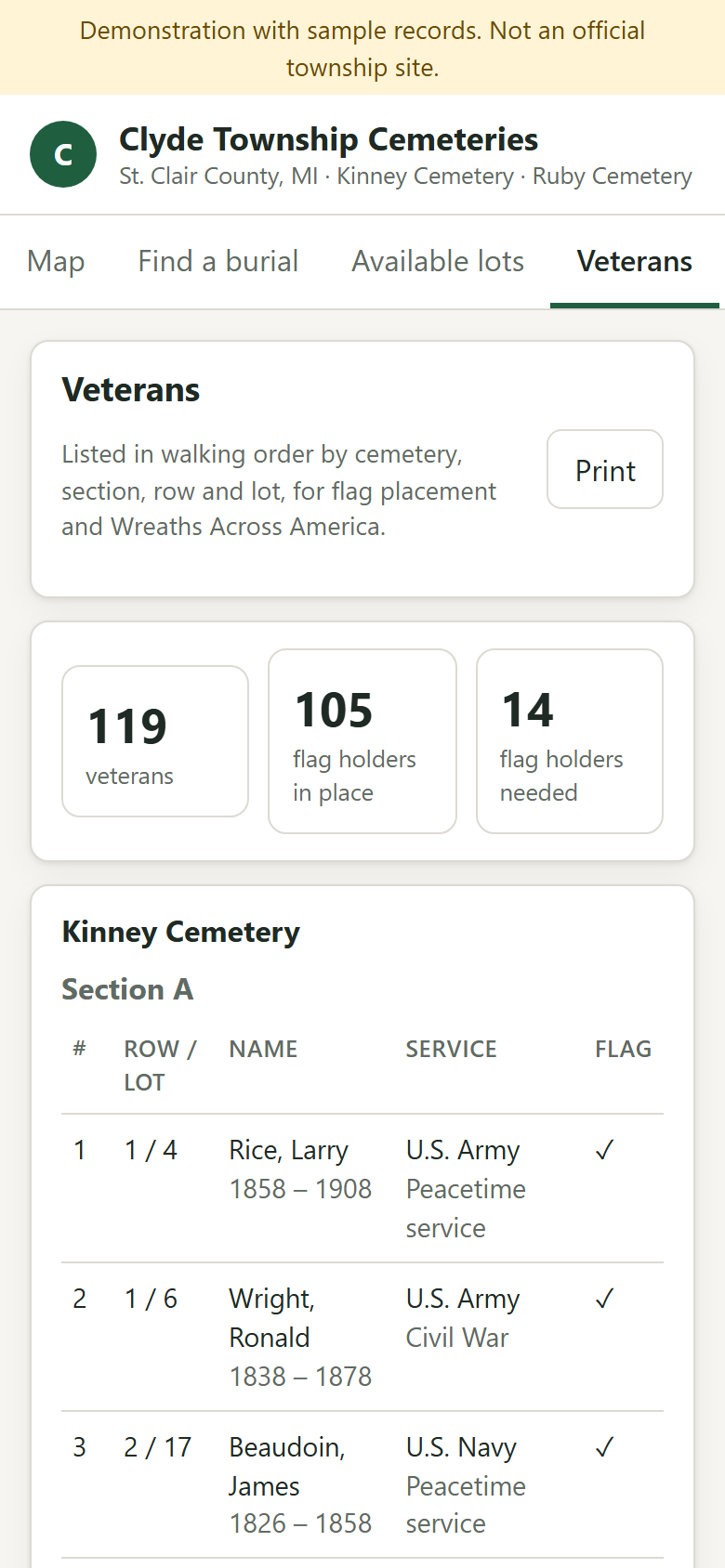
- Reports for the board: reclamation candidates, who purchased graves, and the veterans walking list.
- Available
- Sold, not used
- Occupied
- Reserved
- Under review
- Not for sale
Lot outlines are a guide for finding a grave, not a survey.
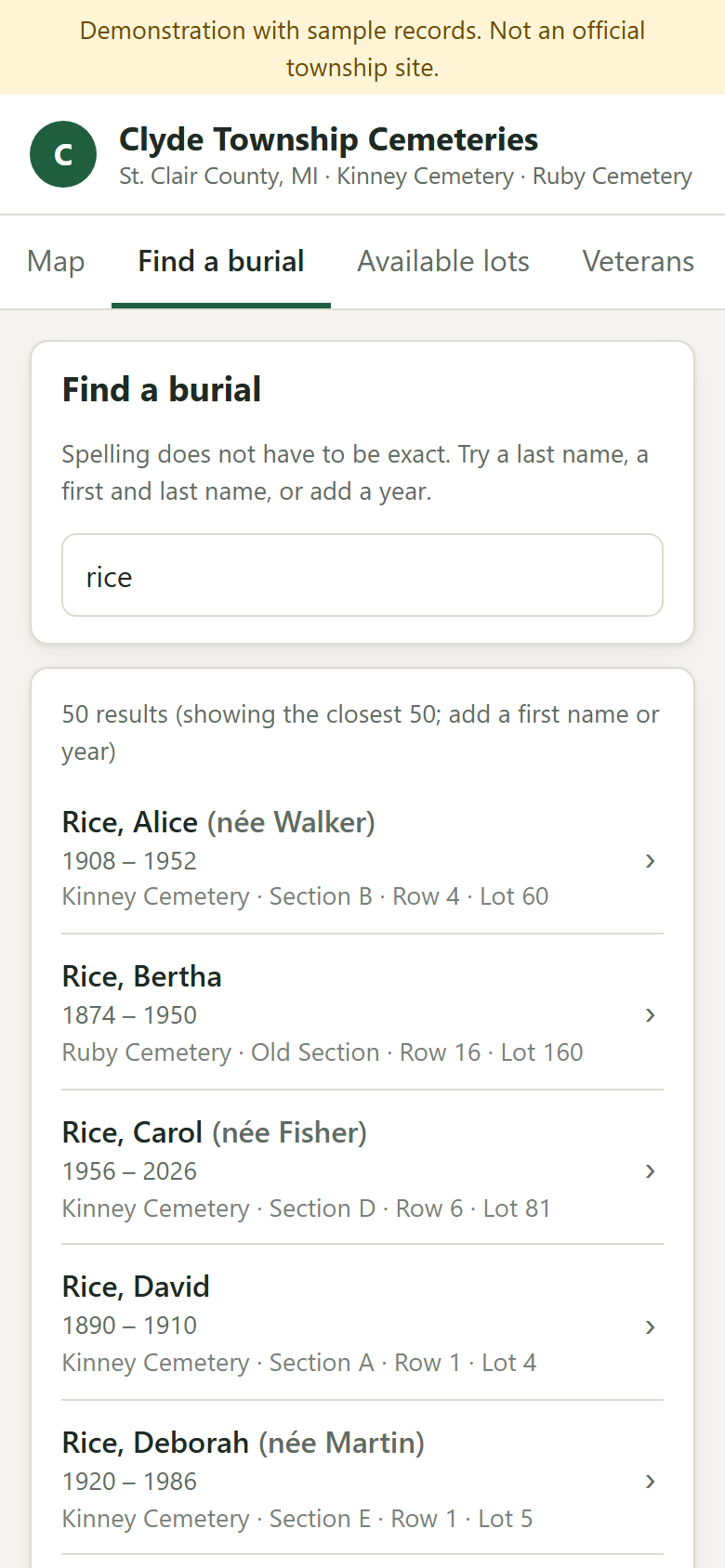
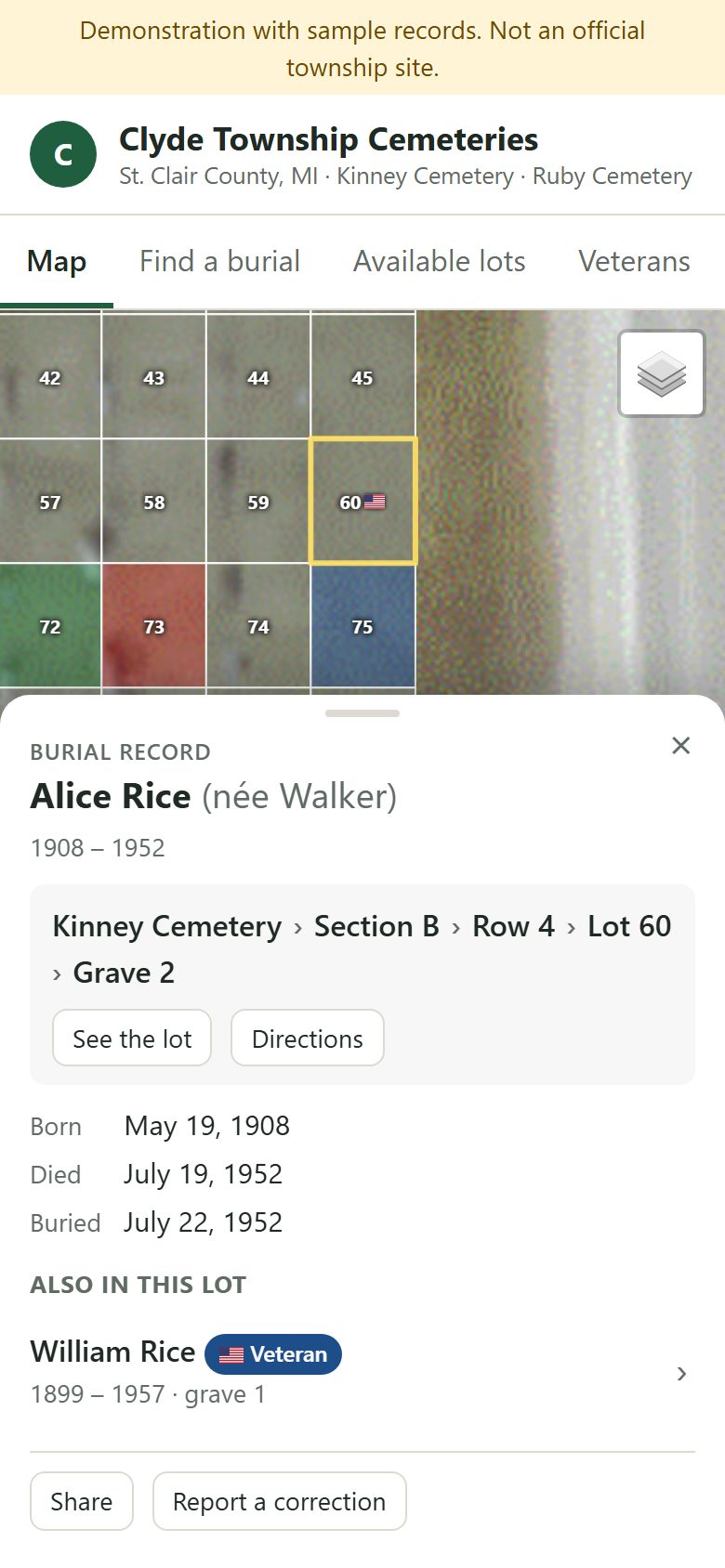
A family finds the grave before they leave the car.
Each township gets its own public page. Visitors search a name, open the burial record and get walking directions to the lot. If something looks wrong, they send a note straight to the clerk.
A toggle, not a ticket
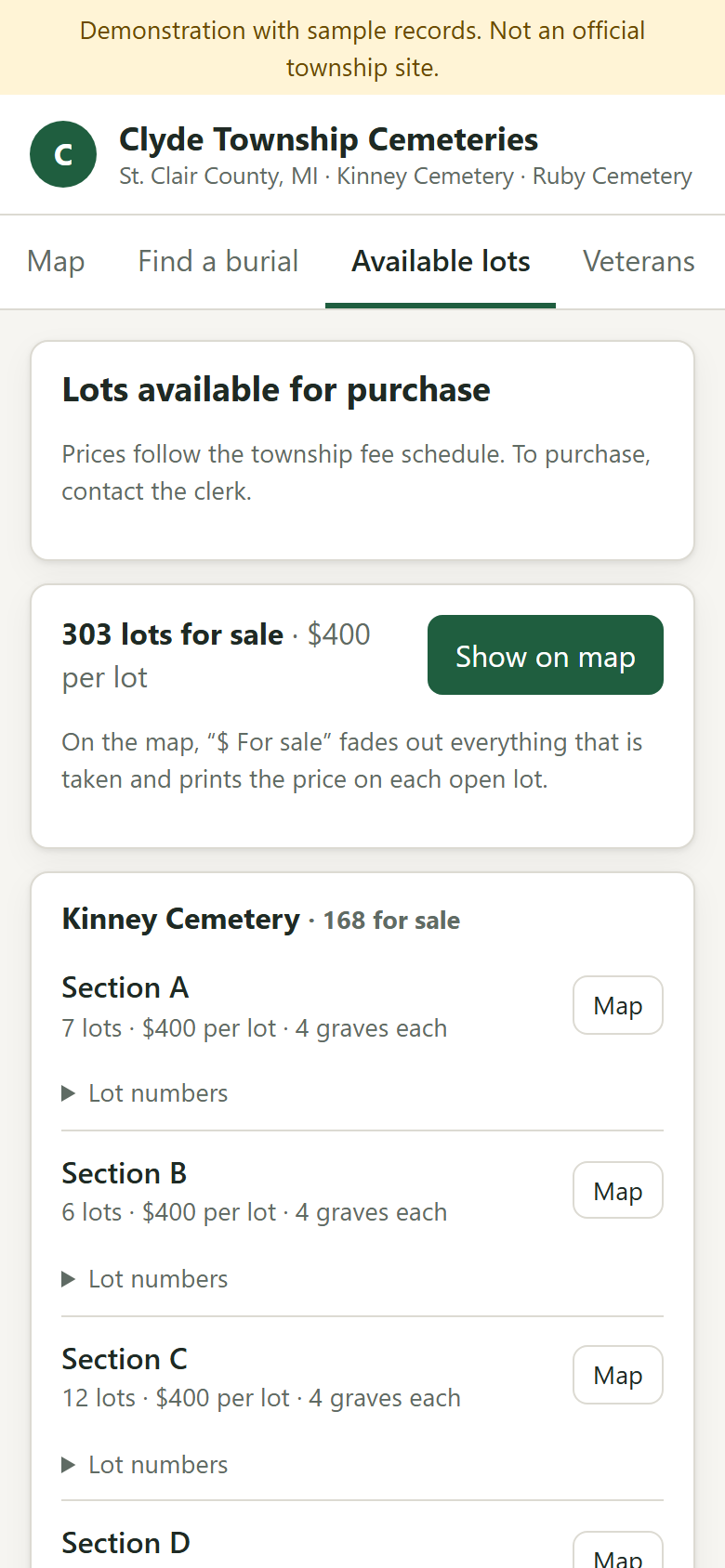
The veterans list and the available-lots page are each switched on or off by the clerk in Settings.
Private stays private
Owner contact details, sales, office notes and permits never appear on the public site. Individual burials can be kept off it.
Township-branded
The public page carries the township's name, office address and clerk's contact details, and the township website links straight to it.
Two plans, priced in the open.
The monthly price covers hosting, backups, support and every login. The one-time onboarding fee is the work of turning your records into a register.
Records
- Clerk app: lot register, burials, owners and sales, foundation permits, reclamation notices, veterans list, change history, exports
- Public site: burial search, burial record cards, veterans list and "ask the clerk"
- We import your lot book, spreadsheet or export from a previous system, and set up the logins
- Unlimited logins, up to two cemeteries
- Move up to Records + Map at any time
Records + Map
- Everything in Records
- The lot map over the county aerial or satellite imagery, with lots coloured by status
- Available-lots page with fee-schedule prices, and "For sale" on the map
- Walking directions from a burial record to the lot
- We draw every lot from the plat and walk the hard spots with you
How onboarding is priced
The monthly price is the same for every township. Onboarding depends on how many lots you have and what shape the records are in, so we look at your lot book and plat first and give you one fixed figure in writing before any work starts.
Optional add-ons, quoted
- Drone imagery
- A fresh leaf-off aerial of each cemetery, flown by a local licensed pilot, as the base layer of the map. County or satellite imagery is already included and is good enough to place lots.
- Additional cemeteries
- The monthly price covers up to two cemeteries. Each further cemetery is quoted with its own map onboarding.
- On-site record digitisation
- Scanning or photographing a paper lot book and deed stubs when the township has nothing in a spreadsheet.
No per-user, per-lot or per-record charges. Cancel at any time; you keep a full export of your records and map.
What a board usually asks
Something else on your mind? Write to contact@flagstoneapp.com.
Who owns the data?
The township does. The register holds the township's records on its behalf, and the Export page gives you all of them, at any time, in plain formats: CSV for every table, GeoJSON for the lot shapes, and a single JSON file of everything. You do not need to ask us for a copy.
What happens if you go out of business?
You export everything in CSV, GeoJSON and JSON and hand it to whoever comes next. The formats are open and readable by spreadsheets and GIS software, and nothing in them depends on us. That export is the same one you can run on any ordinary day.
What is published, and what is kept private?
The public site shows a burial's name, dates, lot and veteran status, the lot map with status colours, the available-lots page and the veterans list. Owner names and contact details, sales and deed records, office notes, permits, notices and public inquiries are never published. The clerk can keep an individual burial off the public site, and can switch the veterans list and the available-lots page off entirely.
How does onboarding work?
You give us what you have: the lot book or interment cards, any spreadsheet or export from a previous system, the plat, and the fee schedule. We import the records, clean up names and dates, and (for Records + Map) draw every lot over the aerial from the plat. You get a working register to review before it goes live, and we fix the places where the stones, the book and the plat disagree. Every imported value is in the change history, so a correction later never loses the original entry.
Is the map accurate enough to find a grave?
Yes for finding a grave; no for settling a boundary. Lots are drawn over the county's aerial or satellite imagery from the plat and checked against what is on the ground. The public site says so plainly: lot outlines are a guide, not a survey. The Directions button opens walking directions to the lot in Google Maps.
Does it replace our accounting or the township website?
No. Sales record the receipt number from your existing accounting system; money is still taken at the office. The public page is its own address, which the township website links to.
Can we delete a record that was entered in error?
Records are never deleted; they are marked retired or corrected, and the previous value stays in the history with who changed it and when. That is what lets a clerk, a board member or an auditor see exactly how a record came to say what it says.
Is there a limit on logins, lots or cemeteries?
Logins are unlimited on both plans, and there is no per-lot charge. The monthly price covers up to two cemeteries; more are quoted as an add-on.
See it with your own cemetery in mind.
Open the demo on your phone, search a name, tap a lot. Then tell us what your lot book looks like and we will give you a fixed onboarding figure.
Flagstone is built and supported in St. Clair County by a software developer of twenty years who lives here. When something needs fixing, you call the person who wrote it, and he can drive over.
Or write to contact@flagstoneapp.com